
Docker container keeps restarting in a loop
A Docker container that repeatedly returns to a running/restarting state can be caused by its main process exiting while a restart policy relaunches it. First inspect the container state, restart count and policy; also note that Docker only activates a restart policy after the container has started successfully for at least 10 seconds.
Inspect restart count, state and policy
Inspect the container’s restart count, state and configured restart policy first. If the main process is exiting with an error while the policy is always or unless-stopped, fix the process/configuration causing the exit; changing the restart policy only hides the loop.
- Run docker inspect for the affected container.
- Check .RestartCount and the container State information.
- Check the configured restart policy under HostConfig.RestartPolicy.
- Use the exit state and policy together to determine whether the application is crashing and being relaunched.
Why this branch first: Docker documents restart policies and exposes restart count and detailed container state through docker inspect.
Read the Docker log locally
Paste a Docker log to identify restart-loop, memory, port, permission, DNS, image-pull and TLS signals before changing the container again.
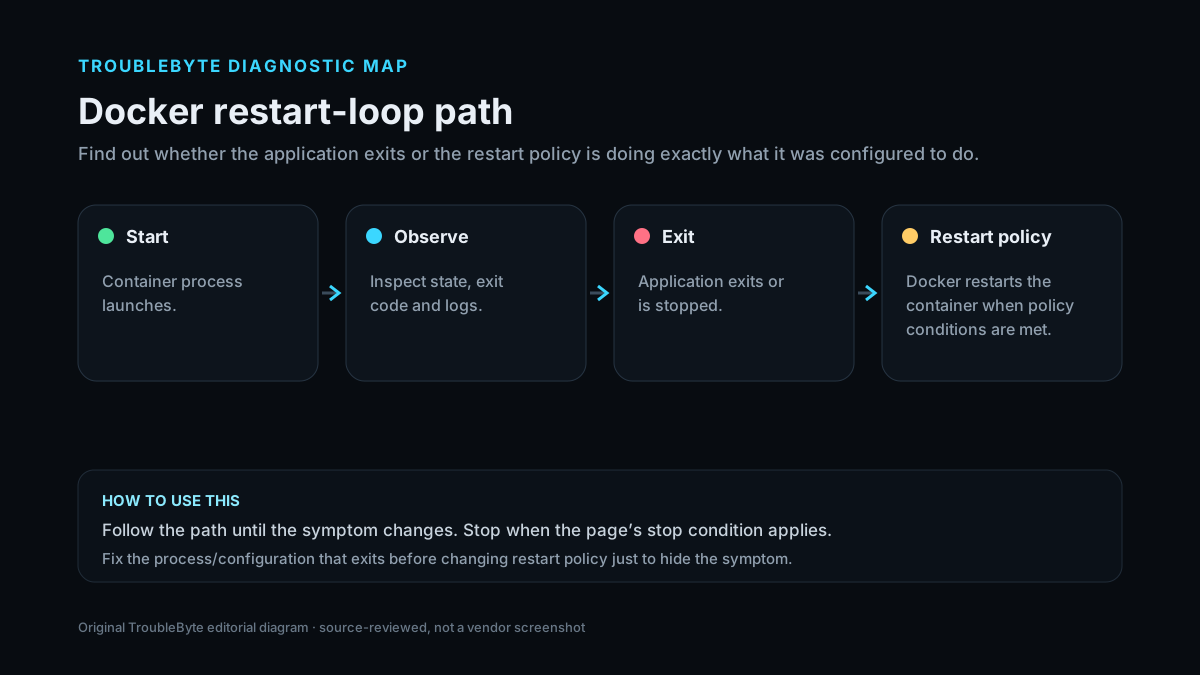
TroubleByte diagnostic path
Inspect container state, exit details and restart count.
Check whether it stayed up long enough for the restart policy to apply.
Read application logs and find why the main process exits.
Only adjust restart policy deliberately for diagnosis.
Original TroubleByte diagnostic map. It summarizes the cited troubleshooting order; it is not a vendor screenshot.
Use the symptom to choose the next branch
Do the container logs or inspect output show the application process exiting?
Fix the application/configuration exit cause first; the restart policy is only repeating the failure.
Inspect restart policy, health checks, daemon events and external orchestration before changing application code.
Does the container remain running for roughly 10 seconds before the restart policy engages?
The restart policy can legitimately restart it after later exits; use logs and exit code to find the root cause.
Do not assume the restart policy is the only cause; verify immediate startup failure and Docker restart-policy behavior.
Original TroubleByte decision aid derived from the cited troubleshooting scope. It does not replace vendor documentation.
What this usually means
Docker restart policies control what the daemon does after a container exits, but Docker documents an important guardrail: the policy only takes effect after the container has started successfully, defined as staying up for at least 10 seconds. For containers that pass that threshold, policies such as always or unless-stopped can make an application failure look like a Docker failure because the main process exits and the container is relaunched.
What we verified from the source material
Docker documents that restart policies decide whether a container is relaunched after its main process exits, with an important qualification: the policy only becomes active after the container has stayed up for at least 10 seconds. Policies such as always and unless-stopped can therefore expose later application crashes as visible restart loops. Docker’s CLI documentation also exposes container state and restart-policy data; the policy itself does not repair the process that is exiting.
Prerequisites and checks
Prepare first
- Know the container name or ID.
- Capture current logs and inspect state before recreating or deleting the container.
- Do not disable a restart policy permanently until you understand why the main process is exiting.
Checks that prevent the wrong fix
- Record the container name or ID before changing anything.
- Check how long the container remains up; Docker documents a 10-second successful-start threshold before restart policy activation.
- Inspect the exit state and application logs before disabling restart behavior.
- Changing a restart policy can alter service availability; do it deliberately.
Applies to
Solutions, in order
Inspect restart count, state and policy
- Run docker inspect for the affected container.
- Check .RestartCount and the container State information.
- Check the configured restart policy under HostConfig.RestartPolicy.
- Use the exit state and policy together to determine whether the application is crashing and being relaunched.
Why this can work: Docker documents restart policies and exposes restart count and detailed container state through docker inspect.
Fix the process that exits before changing restart policy
- Review the container application logs and recent configuration changes.
- Identify why the container’s main process exits.
- Correct the application, command, environment or dependency causing the exit.
- Start the container and verify that it stays running before treating the loop as resolved.
Why this can work: A restart policy reacts to container exit; it does not repair the process that caused the exit. Fixing the failing process preserves the intended availability policy.
Temporarily adjust restart policy for diagnosis
- If repeated restarts prevent diagnosis, note the current policy first.
- Use docker update --restart with an appropriate temporary policy for the container.
- Diagnose and fix the exit cause.
- Restore the intended production restart policy afterward.
Why this can work: Docker supports changing the restart policy of an existing container, but the policy should match the intended service behavior.
How to know the fix actually worked
- Confirm the container remains running beyond the previous failure interval.
- Recheck the restart count and verify it is no longer increasing.
- Inspect fresh logs to confirm the original exit condition is gone rather than merely hidden by a policy change.
Do not count a temporary disappearance of the symptom as a confirmed fix if the problem normally returns after a restart, reconnect or several minutes of use.
When not to keep changing things
- If the process exits because of missing secrets, corrupted data, storage failure or an application-level fatal error, fix that dependency before changing restart policy.
- If the container hosts production data, stop before destructive recreate/prune operations unless you have a verified backup and understand mounted volumes.
Escalation: If the process exits without a useful application log, inspect the container state, entrypoint/command, mounts, environment variables and resource limits. The restart loop is a symptom; the exit reason is the root problem.
Sources used for this record
Primary · checked Sep 6, 2026Docker — Start containers automaticallyOfficial documentation used to verify the troubleshooting steps.Corroborating · checked Sep 6, 2026Docker — docker container run — restart policies and restart countOfficial CLI reference for restart policies and restart-count inspection.Corroborating · checked Sep 6, 2026Docker — docker inspectOfficial reference for inspecting low-level container state.Need private help with this guide?
If the guide did not resolve the problem, send a private case to TroubleByte. It is separate from the public discussion below.
Discuss this exact problem
Share what happened on your system, ask a focused follow-up question, or add evidence that may help someone with the same symptom. Community posts are separate from TroubleByte editorial verification.
Start a discussion
Revision history
Show 8 recorded revisions
2026-09-26 — Source review refreshed against cited current first-party documentation; diagnostic scope confirmed. No hands-on test claimed.
2026-09-06 — v0.6 media/performance pass: added a dedicated social preview card and an original diagnostic diagram; indexing remains disabled.
2026-09-06 — v0.5 UX/discovery pass: added decision-oriented diagnostic guidance and kept indexing disabled.
2026-09-06 — v0.4 depth pass: added symptom framing, prerequisites, verification checks and explicit stop conditions; indexing remains disabled.
2026-09-06 — v0.3 trust pass: assigned a named human author/source reviewer, added section taxonomy and an original diagnostic flow; indexing remains disabled.
2026-09-06 — Added Docker’s documented 10-second successful-start threshold so restart-loop guidance does not overgeneralize very early startup failures.
2026-09-06 — Clarified source-review semantics and evidence scope; no hands-on hardware test is claimed.
2026-09-06 — Created from current Docker restart-policy and inspect documentation; held noindex for review.