
iPhone notifications not showing
Missing iPhone alerts can be caused by per-app notification settings, sound/alert style, Focus or silent state, conversation filters, or a paired Apple Watch receiving the alert instead. The useful first step is to isolate one app and confirm how that app is allowed to notify.
Verify per-app notification and Focus settings
Open Settings > Notifications, choose the affected app and confirm notifications and alert styles are enabled. Check Focus/silent state and whether an Apple Watch is receiving the notification instead.
- Open Settings > Notifications and choose the app.
- Enable Allow Notifications and the desired Lock Screen, Notification Center, Banner and sound options.
- Check Focus modes and silent state.
Why this branch first: Apple documents per-app notification controls and device state as the primary configuration path.
Choose a local-first diagnostic tool
Use a TroubleByte tool to inspect an error, DNS record or local system context before changing settings.
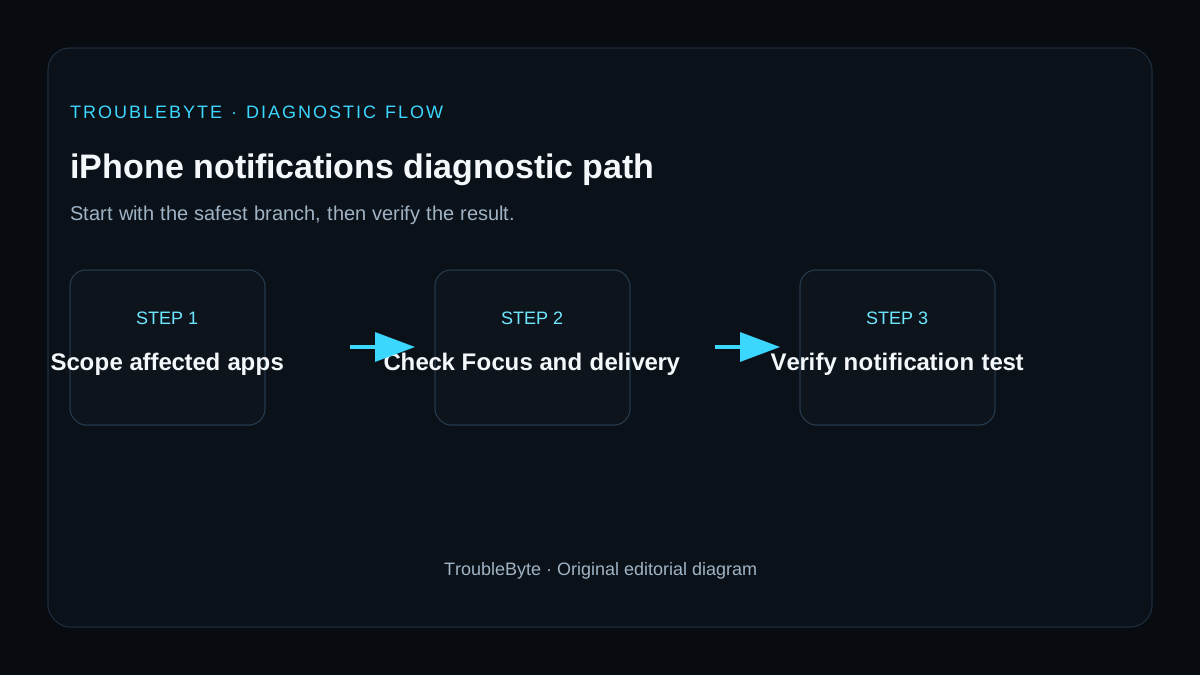
TroubleByte diagnostic path
Identify one app or all apps.
Check Allow Notifications and alert style.
Review Focus, silent state and Watch routing.
Escalate if new content itself is not arriving.
Original TroubleByte diagnostic map. It summarizes the cited troubleshooting order; it is not a vendor screenshot.
Use the symptom to choose the next branch
Are notifications missing from one app only while other apps still alert normally?
Check that app's Notifications permission, account state and in-app alert settings first.
Review Focus, scheduled summary, network access and system-wide notification settings.
Does turning off the relevant Focus mode or scheduled summary restore a controlled test notification?
Keep the working Focus configuration and verify that the app is not silenced by a filter.
Restart the iPhone, update iOS and the app, then check the app's service status or account session.
Original TroubleByte decision aid derived from the cited troubleshooting scope. It does not replace vendor documentation.
What this usually means
A missing alert is often a delivery/presentation setting rather than an app installation failure. Apple notes that paired Apple Watch devices can receive notifications instead of the iPhone, and individual apps/conversations can have distinct alert settings.
What we verified from the source material
Apple documents per-app notification controls, sound and presentation settings, and the default behavior where notifications may go to Apple Watch rather than iPhone. These sources support settings/routing checks before reinstalling an application.
Prerequisites and checks
Prepare first
- Know whether notifications are missing for one app or all apps.
- Check the app is signed in and able to receive data.
- Avoid reinstalling before preserving app data or authentication.
Checks that prevent the wrong fix
- Check notification settings for one affected app.
- Review Focus and silent state.
- If you use Apple Watch, check where notifications are routed.
Applies to
Solutions, in order
Verify per-app notification and Focus settings
- Open Settings > Notifications and choose the app.
- Enable Allow Notifications and the desired Lock Screen, Notification Center, Banner and sound options.
- Check Focus modes and silent state.
Why this can work: Apple documents per-app notification controls and device state as the primary configuration path.
Check routing and app-specific context
- If paired with Apple Watch, check whether notifications are being delivered there.
- Review any app or conversation mute/filter settings.
- Restart the iPhone and retest.
Why this can work: Apple notes that paired Apple Watch routing and conversation/app-specific settings can change where alerts appear.
How to know the fix actually worked
- A test notification appears in the expected location and with the expected sound/banner behavior.
- The alert still arrives after the next device unlock/restart.
Do not count a temporary disappearance of the symptom as a confirmed fix if the problem normally returns after a restart, reconnect or several minutes of use.
When not to keep changing things
- If the app itself is not receiving new content or messages, stop notification-style changes and troubleshoot the app/account/network layer.
Escalation: If notification settings are correct but a specific app never receives events, contact the app provider after confirming iOS and the app are current.
Sources used for this record
Primary · checked Sep 8, 2026Apple — How to get notifications on your iPhone and Apple WatchFirst-party documentation used as evidence for this troubleshooting record.Corroborating · checked Sep 8, 2026Apple — Use notifications on your iPhone or iPadFirst-party documentation used as evidence for this troubleshooting record.Need private help with this guide?
If the guide did not resolve the problem, send a private case to TroubleByte. It is separate from the public discussion below.
Discuss this exact problem
Share what happened on your system, ask a focused follow-up question, or add evidence that may help someone with the same symptom. Community posts are separate from TroubleByte editorial verification.
Start a discussion
Revision history
Show 1 recorded revision
2026-09-08 — Created for the v1.2 search-quality and content-scale pass from current first-party documentation; public indexing is controlled by the launch allowlist.