
Pixel phone freezes or becomes unresponsive
A Pixel that freezes, stops responding or stays stuck with the screen on can be caused by temporary software state, low storage, outdated software or a downloaded app. Google recommends restart, updates, storage checks and Safe Mode before a factory reset.
Restart, update and free storage
If the Pixel is frozen with the screen on, hold the power button about 30 seconds to restart. Then update Android/apps, check free storage and use Safe Mode if the freeze returns.
- Force restart if currently frozen.
- Install Android and app updates.
- Check storage and free space if nearly full.
- Retest the workload.
Why this branch first: Google recommends restart, Android updates and storage checks before more destructive troubleshooting.
Choose a local-first diagnostic tool
Use a TroubleByte tool to inspect an error, DNS record or local system context before changing settings.
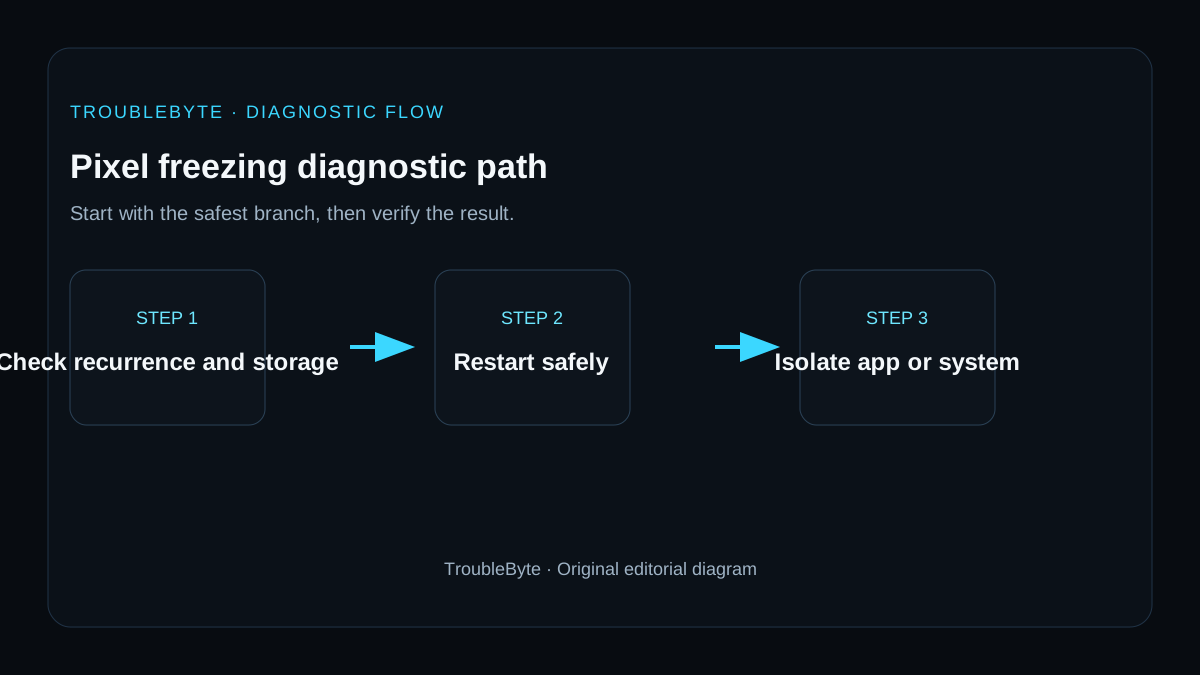
TroubleByte diagnostic path
Force restart only if currently frozen.
Update Android/apps and check storage.
Test whether downloaded apps are involved.
Back up before reset or support.
Original TroubleByte diagnostic map. It summarizes the cited troubleshooting order; it is not a vendor screenshot.
Use the symptom to choose the next branch
Does the Pixel freeze only while using one app or after a repeatable action?
Update or reinstall that app and test again before changing broader phone settings.
Check free storage, pending Android updates and whether the phone also freezes after a clean restart.
Does the phone continue freezing in Safe Mode or shortly after restart with adequate free storage?
Back up important data and contact Pixel support because the issue may be system-level or hardware-related.
Remove the recent app, profile or accessory that reproduces the freeze and verify normal use.
Original TroubleByte decision aid derived from the cited troubleshooting scope. It does not replace vendor documentation.
What this usually means
A single freeze can be transient; recurring freezes should be isolated systematically. Google’s sequence moves from restart to updates and storage, then Safe Mode for downloaded-app influence, preserving factory reset as a later step because it erases data.
What we verified from the source material
Google’s Pixel freeze guidance prioritizes restart, software updates and storage, then Safe Mode to isolate downloaded apps. This supports keeping factory reset and repair as later escalation steps rather than immediate responses to one freeze.
Prerequisites and checks
Prepare first
- Have a current backup before any factory reset.
- Record whether the freeze follows one app or workload.
- Do not repeatedly hard-restart a device during an active system update.
Checks that prevent the wrong fix
- Force restart if the phone is currently frozen.
- Install Android and app updates.
- Check free storage and whether the issue disappears in Safe Mode.
Applies to
Solutions, in order
Restart, update and free storage
- Force restart if currently frozen.
- Install Android and app updates.
- Check storage and free space if nearly full.
- Retest the workload.
Why this can work: Google recommends restart, Android updates and storage checks before more destructive troubleshooting.
Use Safe Mode to isolate downloaded apps
- Boot the Pixel into Safe Mode.
- Use the phone long enough to reproduce the usual workload.
- If the problem stops, remove recently installed or updated apps one at a time.
Why this can work: Google documents Safe Mode as the way to test whether a downloaded app causes freezing, crashing or slowness.
How to know the fix actually worked
- The phone remains responsive through the previously triggering workload.
- The issue does not recur after normal restart.
Do not count a temporary disappearance of the symptom as a confirmed fix if the problem normally returns after a restart, reconnect or several minutes of use.
When not to keep changing things
- If the phone is physically damaged, swollen or repeatedly powers off unexpectedly, stop software-only troubleshooting and seek support.
Escalation: If freezes persist in Safe Mode after updates and adequate storage, back up data and use Pixel support before a factory reset or repair.
Sources used for this record
Primary · checked Sep 8, 2026Google — Fix a Pixel phone that freezesFirst-party documentation used as evidence for this troubleshooting record.Corroborating · checked Sep 8, 2026Google — Find problem apps by rebooting to safe modeFirst-party documentation used as evidence for this troubleshooting record.Need private help with this guide?
If the guide did not resolve the problem, send a private case to TroubleByte. It is separate from the public discussion below.
Discuss this exact problem
Share what happened on your system, ask a focused follow-up question, or add evidence that may help someone with the same symptom. Community posts are separate from TroubleByte editorial verification.
Start a discussion
Revision history
Show 1 recorded revision
2026-09-08 — Created for the v1.2 search-quality and content-scale pass from current first-party documentation; public indexing is controlled by the launch allowlist.