
Pixel phone getting too hot
Pixel phones can feel warm during gaming, video, navigation, hotspot use, large transfers, setup or charging. Google describes thermal states and notes that the phone may reduce performance, charging, camera or network features to protect itself as temperature rises.
Cool the device safely and reduce the workload
If the Pixel is too hot, disconnect it from power, stop heavy apps and move it out of heat until it cools. On supported models, check Battery > Battery diagnostics > Phone is very warm for the current thermal state.
- Stop heavy apps and hotspot/navigation/video tasks.
- Disconnect charging if the phone is too hot.
- Move it out of direct heat and let it cool naturally.
Why this branch first: Google recommends stopping resource-heavy activity, disconnecting power and moving the phone to a cooler environment.
Choose a local-first diagnostic tool
Use a TroubleByte tool to inspect an error, DNS record or local system context before changing settings.
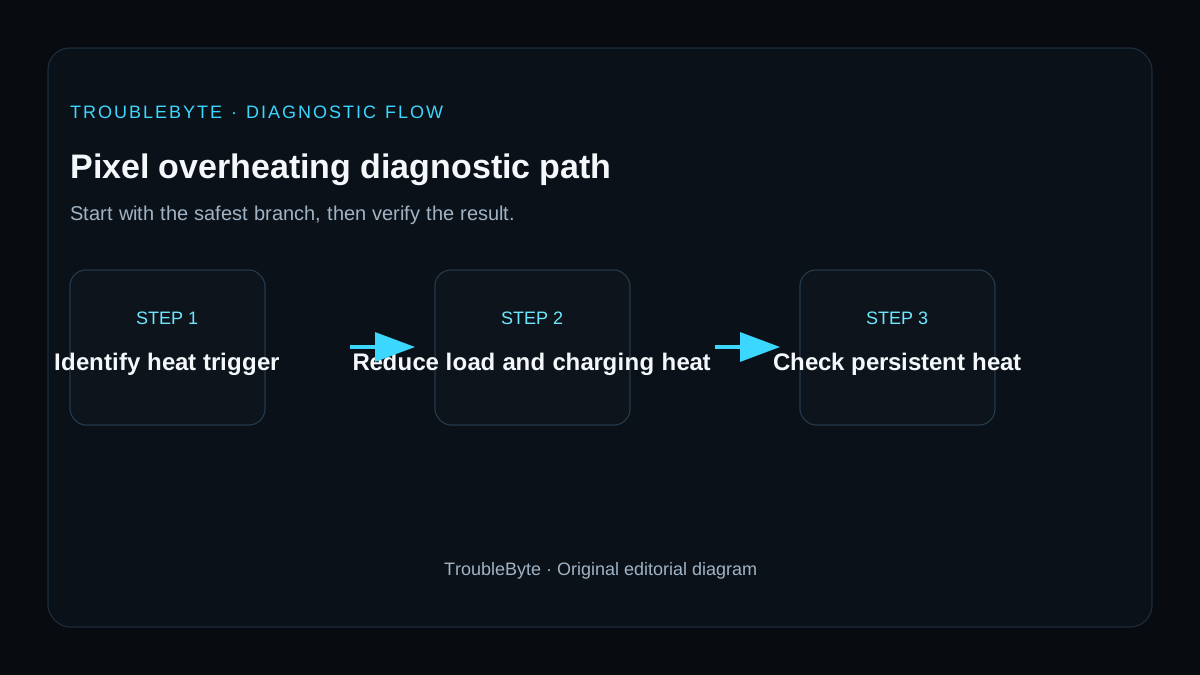
TroubleByte diagnostic path
Pause heavy apps and disconnect charging.
Move to a cooler environment naturally.
Check Pixel temperature state.
Use updates/Safe Mode if recurrence is abnormal.
Original TroubleByte diagnostic map. It summarizes the cited troubleshooting order; it is not a vendor screenshot.
Use the symptom to choose the next branch
Does the Pixel become hot mainly while charging, gaming, recording video or searching for a weak signal?
Stop the heavy task, remove external heat, use an approved charger and let the phone cool before further testing.
Check battery and app activity for unexpected background use after a restart.
Does the temperature warning persist while the phone is idle in a cool environment?
Stop charging and seek Pixel support or repair guidance; do not cool the device with water or a freezer.
Update the affected app and Android, then monitor whether the same workload repeats the issue.
Original TroubleByte decision aid derived from the cited troubleshooting scope. It does not replace vendor documentation.
What this usually means
Warmth during intensive use is not automatically a fault, but repeated elevated-temperature warnings or shutdowns deserve investigation. Google documents expected heat-producing activities and protective throttling, so the context and whether the phone cools normally matter more than touch temperature alone.
What we verified from the source material
Google explains normal heat-producing activities, thermal protection behavior and safe cooling steps, and provides temperature-state diagnostics on supported Pixel models. Persistent elevated states under light use should be escalated rather than bypassing thermal safeguards.
Prerequisites and checks
Prepare first
- Remove the phone from direct sun or a hot vehicle.
- Do not cool a hot phone with ice, water or a refrigerator.
- If the battery or case is swelling, stop use immediately.
Checks that prevent the wrong fix
- Stop gaming, camera, hotspot or other heavy activity.
- Disconnect charging if the phone is too hot.
- Check Pixel temperature diagnostics on supported models.
Applies to
Solutions, in order
Cool the device safely and reduce the workload
- Stop heavy apps and hotspot/navigation/video tasks.
- Disconnect charging if the phone is too hot.
- Move it out of direct heat and let it cool naturally.
Why this can work: Google recommends stopping resource-heavy activity, disconnecting power and moving the phone to a cooler environment.
Use Pixel temperature and app isolation diagnostics
- Check Battery > Battery diagnostics > Phone is very warm where available.
- Install current Android updates.
- If heat recurs under light use, use Safe Mode to test downloaded-app influence.
Why this can work: Google provides device temperature diagnostics and safe-mode isolation for recurring issues.
How to know the fix actually worked
- The phone returns to Normal/Warm thermal state after cooling.
- Normal workloads no longer trigger repeated elevated warnings or shutdown.
Do not count a temporary disappearance of the symptom as a confirmed fix if the problem normally returns after a restart, reconnect or several minutes of use.
When not to keep changing things
- If the battery is swollen, the phone is physically damaged, or it repeatedly shuts down from heat under light use, stop use and seek qualified support.
Escalation: If repeated elevated-temperature states occur under light workloads after updates and safe-mode isolation, use Pixel support/repair diagnostics rather than disabling thermal protections.
Sources used for this record
Primary · checked Sep 8, 2026Google — Help keep your Pixel phone from feeling too warm or hotFirst-party documentation used as evidence for this troubleshooting record.Corroborating · checked Sep 8, 2026Google — Check and understand your Pixel’s temperatureFirst-party documentation used as evidence for this troubleshooting record.Need private help with this guide?
If the guide did not resolve the problem, send a private case to TroubleByte. It is separate from the public discussion below.
Discuss this exact problem
Share what happened on your system, ask a focused follow-up question, or add evidence that may help someone with the same symptom. Community posts are separate from TroubleByte editorial verification.
Start a discussion
Revision history
Show 1 recorded revision
2026-09-08 — Created for the v1.2 search-quality and content-scale pass from current first-party documentation; public indexing is controlled by the launch allowlist.