
Pixel touchscreen not responding
Pixel touchscreen sensitivity and response can be affected by dirt, moisture, gloves, cases, screen protectors or a software/app problem. Google recommends physical-screen checks first and offers touch diagnostics on supported Pixel models before destructive reset.
Remove physical causes and run touch diagnostics
Remove the case/screen protector for a test, clean and dry the display, restart, and run Settings > Display & touch > Touch diagnostics where supported. If one app alone is affected, troubleshoot that app instead of the entire phone.
- Remove the case or screen protector temporarily.
- Clean and dry the display.
- Restart the Pixel.
- Run Touch diagnostics where available.
Why this branch first: Google starts with case/protector, glove, sticker and cleanliness checks and provides touch diagnostics on supported models.
Choose a local-first diagnostic tool
Use a TroubleByte tool to inspect an error, DNS record or local system context before changing settings.
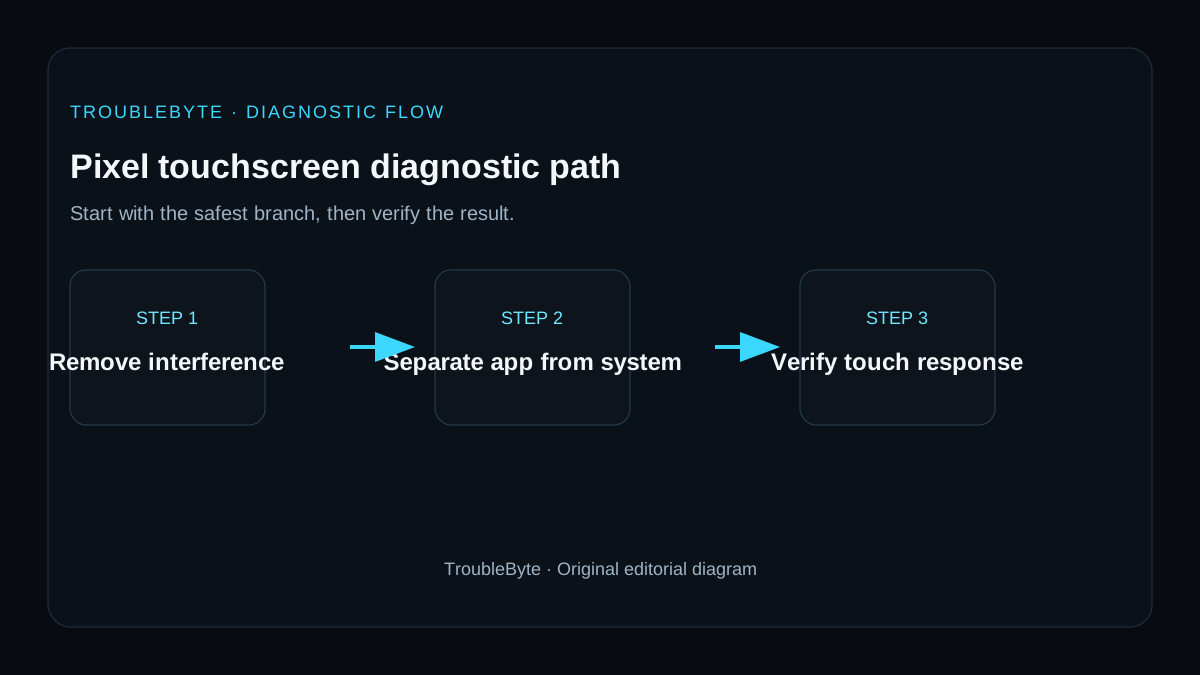
TroubleByte diagnostic path
Clean screen and remove protector/case.
Restart and retest.
Run touch diagnostics where available.
Use updates/Safe Mode before reset.
Original TroubleByte diagnostic map. It summarizes the cited troubleshooting order; it is not a vendor screenshot.
Use the symptom to choose the next branch
Does touch improve after removing a wet, damaged or poorly fitted screen protector and cleaning the display?
Retest without the interfering accessory and replace it only with a compatible protector.
Determine whether the failure is limited to one app or affects the lock screen and system UI.
Does touch fail in Safe Mode or on the lock screen as well as in normal apps?
Back up data if possible and contact Pixel support, because hardware or system-level repair may be needed.
Update or reinstall the affected app and check accessibility overlays that may intercept touch.
Original TroubleByte decision aid derived from the cited troubleshooting scope. It does not replace vendor documentation.
What this usually means
A touch problem that occurs only in one app belongs to a different fault domain than device-wide touch failure. Google explicitly recommends screen/obstruction checks and model-specific touch diagnostics before escalating to reset or repair.
What we verified from the source material
Google’s Pixel touch guidance starts with physical screen checks, accessories and model-specific touch diagnostics, and directs one-app issues back to the app developer. Its device support guidance provides the escalation path without assuming a factory reset is the first repair.
Prerequisites and checks
Prepare first
- Know whether the issue affects the whole UI or one app.
- Back up data before any factory reset.
- Stop if the display is cracked, lifting or the battery is swollen.
Checks that prevent the wrong fix
- Clean and dry the screen.
- Remove case/protector for a controlled test.
- Restart and run Pixel touch diagnostics where available.
Applies to
Solutions, in order
Remove physical causes and run touch diagnostics
- Remove the case or screen protector temporarily.
- Clean and dry the display.
- Restart the Pixel.
- Run Touch diagnostics where available.
Why this can work: Google starts with case/protector, glove, sticker and cleanliness checks and provides touch diagnostics on supported models.
Isolate app/software influence
- Check for Android and app updates.
- If the problem is device-wide but intermittent, test in Safe Mode.
- Escalate persistent failure to Pixel support before factory reset.
Why this can work: If the issue is not clearly hardware, safe-mode and app isolation are lower risk than factory reset.
How to know the fix actually worked
- Touch works consistently across the display after restart.
- The symptom does not return after accessories are reattached one at a time.
Do not count a temporary disappearance of the symptom as a confirmed fix if the problem normally returns after a restart, reconnect or several minutes of use.
When not to keep changing things
- If only one app has touch problems, stop device reset work and contact/update that app.
Escalation: If device-wide touch remains unreliable after physical checks, updates and diagnostics, use Pixel support or repair before a factory reset unless support specifically recommends it.
Sources used for this record
Primary · checked Sep 8, 2026Google — Fix touch & response issues on your Pixel screenFirst-party documentation used as evidence for this troubleshooting record.Corroborating · checked Sep 8, 2026Google — Get help for issues on your Pixel phoneFirst-party documentation used as evidence for this troubleshooting record.Need private help with this guide?
If the guide did not resolve the problem, send a private case to TroubleByte. It is separate from the public discussion below.
Discuss this exact problem
Share what happened on your system, ask a focused follow-up question, or add evidence that may help someone with the same symptom. Community posts are separate from TroubleByte editorial verification.
Start a discussion
Revision history
Show 1 recorded revision
2026-09-08 — Created for the v1.2 search-quality and content-scale pass from current first-party documentation; public indexing is controlled by the launch allowlist.