
Proxmox migration failed
Proxmox migration failed? Read the first task-log error, then separate guest, storage, network and CPU compatibility causes before retrying. This source-reviewed guide keeps the next action tied to the evidence you can collect safely.
Capture the exact symptom and scope first
Proxmox migration failed? Read the first task-log error, then separate guest, storage, network and CPU compatibility causes before retrying.
- Record the exact visible error and timestamp.
- Check whether one target or several are affected.
- Preserve the relevant log, response or configuration state.
- Choose the next action only after identifying the affected layer.
Why this branch first: The exact message, timestamp and scope identify the next diagnostic layer more safely than broad resets or deletes.
Choose a local-first diagnostic tool
Use a TroubleByte tool to inspect an error, DNS record or local system context before changing settings.
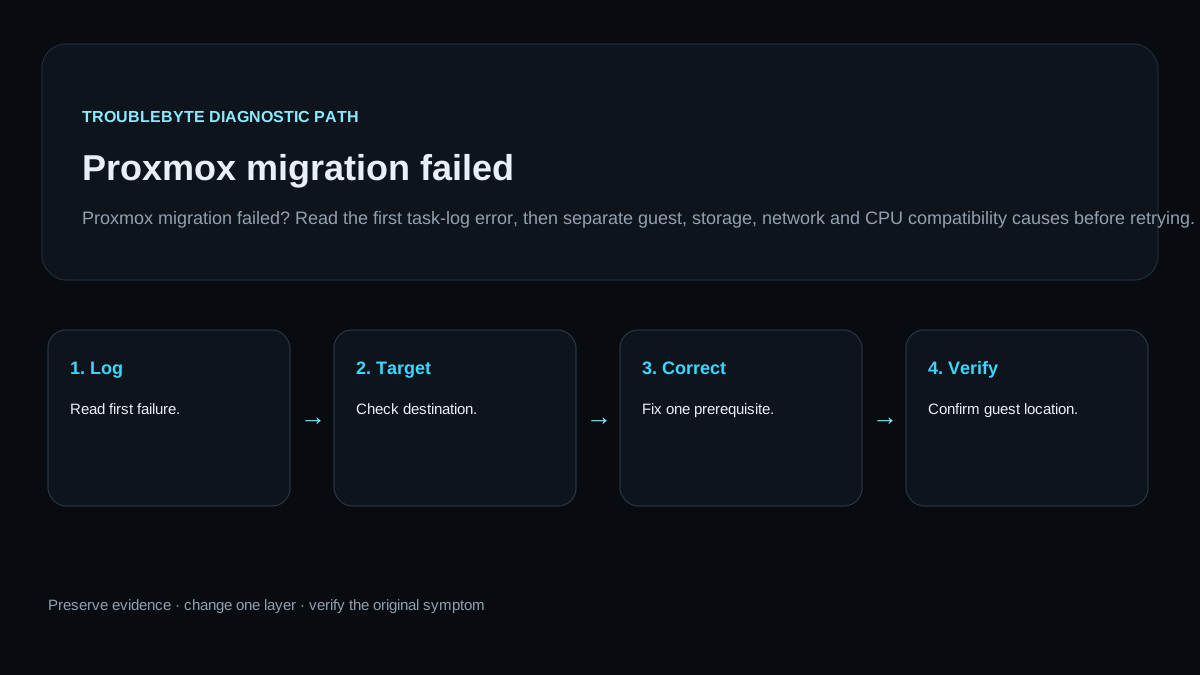
TroubleByte diagnostic path
Read first failure.
Check destination.
Fix one prerequisite.
Confirm guest location.
Original TroubleByte diagnostic map. It summarizes the cited troubleshooting order; it is not a vendor screenshot.
Use the symptom to choose the next branch
Does the evidence point to one affected target rather than a wider platform, host or network failure?
Keep the correction narrow and verify it once.
Stop isolated changes and investigate the shared layer first.
Do you have the exact message, timestamp and relevant log or response evidence?
Follow the scoped diagnostic path.
Capture it before resets, deletes or broad configuration changes.
Original TroubleByte decision aid derived from the cited troubleshooting scope. It does not replace vendor documentation.
What this usually means
Migration is a multi-layer operation. The first concrete task-log error usually identifies whether the blocker is guest state, destination storage, migration network or host compatibility. Retrying without that distinction can leave a guest in an unclear operational state.
What we verified from the source material
Migration is a multi-layer operation. The first concrete task-log error usually identifies whether the blocker is guest state, destination storage, migration network or host compatibility. Retrying without that distinction can leave a guest in an unclear operational state.
Prerequisites and checks
Prepare first
- Do not force-stop a running guest solely to retry migration.
- Do not delete migration-related disks or snapshots while task state is unclear.
- Avoid broad resets, deletes or configuration changes until the affected scope is confirmed.
Checks that prevent the wrong fix
- Record the source node, target node and first task-log error.
- Determine whether the failure is live migration or offline migration.
- Check whether destination storage and networking are available.
Applies to
Solutions, in order
Capture the exact symptom and scope first
- Record the exact visible error and timestamp.
- Check whether one target or several are affected.
- Preserve the relevant log, response or configuration state.
- Choose the next action only after identifying the affected layer.
Why this can work: The exact message, timestamp and scope identify the next diagnostic layer more safely than broad resets or deletes.
Use the task log to isolate the failed migration layer
- Capture the first task-log failure line.
- Check target node capacity, storage visibility and migration connectivity.
- Correct the single identified prerequisite.
- Retry once and confirm guest state on the chosen node.
Why this can work: Apply a narrow correction that follows the observed evidence, then verify the original symptom is gone.
How to know the fix actually worked
- Confirm the guest remains healthy on its original or intended node.
- Retry one migration only after the identified prerequisite is corrected.
Do not count a temporary disappearance of the symptom as a confirmed fix if the problem normally returns after a restart, reconnect or several minutes of use.
When not to keep changing things
- If storage is full, unavailable or the guest is in an inconsistent state, stop retries and repair that condition first.
Escalation: Escalate with the exact message, timestamp, affected scope and the checks already completed.
Sources used for this record
Primary · checked Sep 26, 2026Proxmox — Proxmox VE Administration GuideOfficial documentation used to verify scoped troubleshooting guidance.Corroborating · checked Sep 26, 2026Proxmox — Proxmox VE storage manager manualOfficial documentation used to verify scoped troubleshooting guidance.Discuss this exact problem
Share what happened on your system, ask a focused follow-up question, or add evidence that may help someone with the same symptom. Community posts are separate from TroubleByte editorial verification.
Start a discussion
Revision history
Show 1 recorded revision
2026-09-26 — Created from current official documentation with scoped decisions, explicit stop conditions and an original TroubleByte diagnostic diagram.