
Steam “Missing Executable” error
Steam’s Missing Executable error means a required game file is absent or being blocked. Antivirus quarantine is a documented common cause; the next safe step is to verify the game files so Steam can restore a corrupted or failed download.
Check security quarantine safely
Check antivirus/security quarantine for the game executable, restore it only if you trust the file and source, then verify the game files in Steam before considering a reinstall.
- Open your antivirus/security protection history or quarantine.
- Look for the exact Steam game executable/path.
- If you trust the Steam-installed file and the detection is a false positive, restore/allow it using the security product’s supported workflow.
- Do not broadly disable protection; retest the game.
Why this branch first: Steam says antivirus false positives are a common cause of Missing Executable.
Choose a local-first diagnostic tool
Use a TroubleByte tool to inspect an error, DNS record or local system context before changing settings.
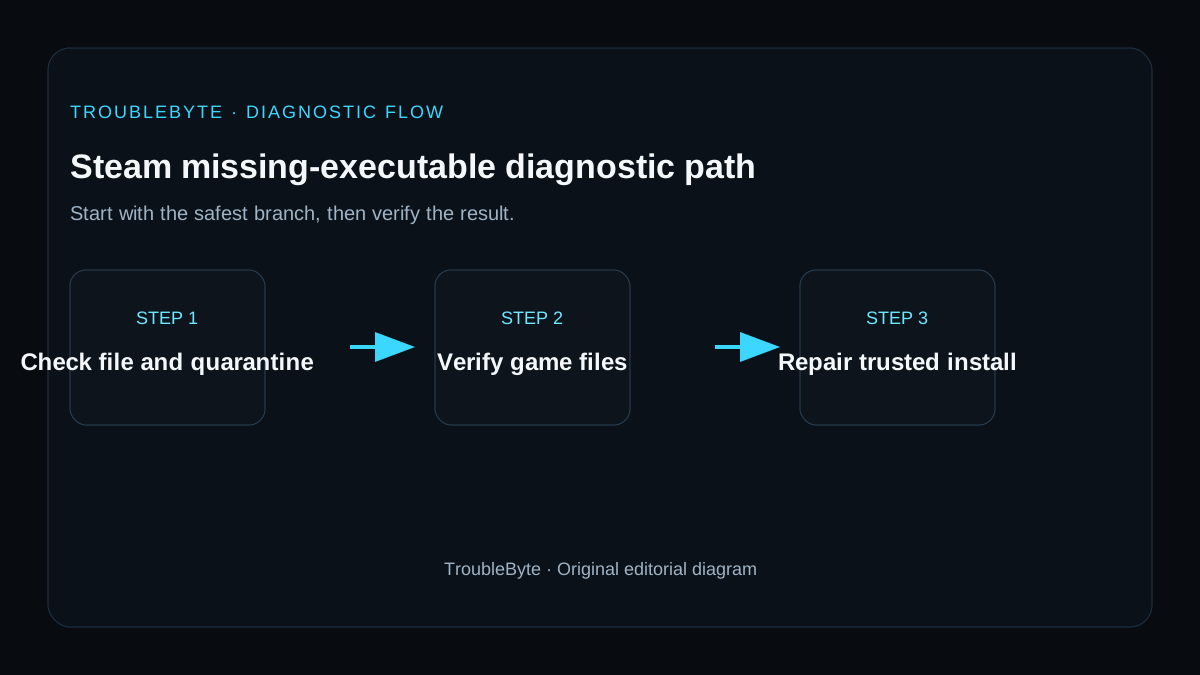
TroubleByte diagnostic path
Check quarantine/history for the executable.
Verify Steam game files.
Launch once after the file is restored.
If it disappears again, investigate security software rather than looping downloads.
Original TroubleByte diagnostic map. It summarizes the cited troubleshooting order; it is not a vendor screenshot.
Use the symptom to choose the next branch
Is the expected executable missing from the installed game folder or listed in antivirus quarantine?
Restore only a verified game file from quarantine or let Steam repair it; do not download an executable from a third-party site.
Use Steam Verify integrity of game files before changing the installation path.
Does verification restore the file but the same error returns on launch?
Check disk health, free space and the game's launcher or anti-cheat logs.
Launch once without overlays and confirm the repaired file remains present.
Original TroubleByte decision aid derived from the cited troubleshooting scope. It does not replace vendor documentation.
What this usually means
This error has unusually specific scope: Steam cannot use an executable it expects to be present. Steam Support points first to antivirus software that may have quarantined the file, then to file verification for corruption or an incomplete download. That makes broad driver/network changes low-value until the expected game file is restored.
What we verified from the source material
Steam Support directly defines Missing Executable as a required file being missing or blocked. It names antivirus quarantine as a common cause and recommends verifying game files for corruption or failed downloads before support escalation.
Prerequisites and checks
Prepare first
- Only restore quarantined files when the game came from a trusted Steam installation and the file path matches the game.
- Do not disable endpoint protection permanently.
- Preserve modded files/configuration if the game is heavily modified.
Checks that prevent the wrong fix
- Open the security/antivirus history and check whether the exact game executable was quarantined.
- Verify game files after restarting the PC.
- Note whether the file disappears again immediately after Steam restores it.
Applies to
Solutions, in order
Check security quarantine safely
- Open your antivirus/security protection history or quarantine.
- Look for the exact Steam game executable/path.
- If you trust the Steam-installed file and the detection is a false positive, restore/allow it using the security product’s supported workflow.
- Do not broadly disable protection; retest the game.
Why this can work: Steam says antivirus false positives are a common cause of Missing Executable.
Verify the game files
- Restart the PC and Steam.
- Open the game Properties > Installed Files > Verify integrity of game files.
- Let Steam restore missing files, then launch once.
- If the same file vanishes again, return to security/quarantine evidence instead of repeatedly redownloading.
Why this can work: Steam recommends file verification when the executable is corrupted or a download failed.
How to know the fix actually worked
- The executable remains present after verification and the game starts.
- Security software no longer immediately quarantines the trusted game file.
Do not count a temporary disappearance of the symptom as a confirmed fix if the problem normally returns after a restart, reconnect or several minutes of use.
When not to keep changing things
- If the security product reports a confirmed malicious file from an untrusted mod or external download, do not whitelist it just to make the game run.
Escalation: If Steam restores the executable but it remains missing without any security event, collect Steam/game logs and contact the game or Steam support.
Sources used for this record
Primary · checked Sep 7, 2026Valve / Steam Support — Failed to Start Game (Missing Executable)First-party documentation used as the primary evidence source for this troubleshooting record.Corroborating · checked Sep 7, 2026Valve / Steam Support — Games do not run after Preparing to LaunchFirst-party documentation used as the corroborating evidence source for this troubleshooting record.Need private help with this guide?
If the guide did not resolve the problem, send a private case to TroubleByte. It is separate from the public discussion below.
Discuss this exact problem
Share what happened on your system, ask a focused follow-up question, or add evidence that may help someone with the same symptom. Community posts are separate from TroubleByte editorial verification.
Start a discussion
Revision history
Show 2 recorded revisions
2026-09-26 — Source review refreshed against cited current first-party documentation; diagnostic scope confirmed. No hands-on test claimed.
2026-09-07 — Created for the v0.9 launch-acceleration content pass from current first-party documentation; indexing remains disabled pending final launch review.