
Docker pull access denied or repository does not exist
Verify the exact image reference first, including registry hostname, namespace and tag. Then authenticate only to the intended registry and confirm the account or token is permitted to pull that private repository. This source-reviewed guide keeps the next step tied to the evidence you can collect safely.
Capture the exact symptom and scope first
Verify the exact image reference first, including registry hostname, namespace and tag. Then authenticate only to the intended registry and confirm the account or token is permitted to pull that private repository.
- Record the exact visible message and timestamp.
- Check whether the symptom affects one target or several.
- Preserve the relevant log, response or configuration state.
- Choose the next step only after identifying the affected layer.
Why this branch first: The exact error, timestamp and scope determine the next branch more safely than broad resets or deletes.
Choose a local-first diagnostic tool
Use a TroubleByte tool to inspect an error, DNS record or local system context before changing settings.
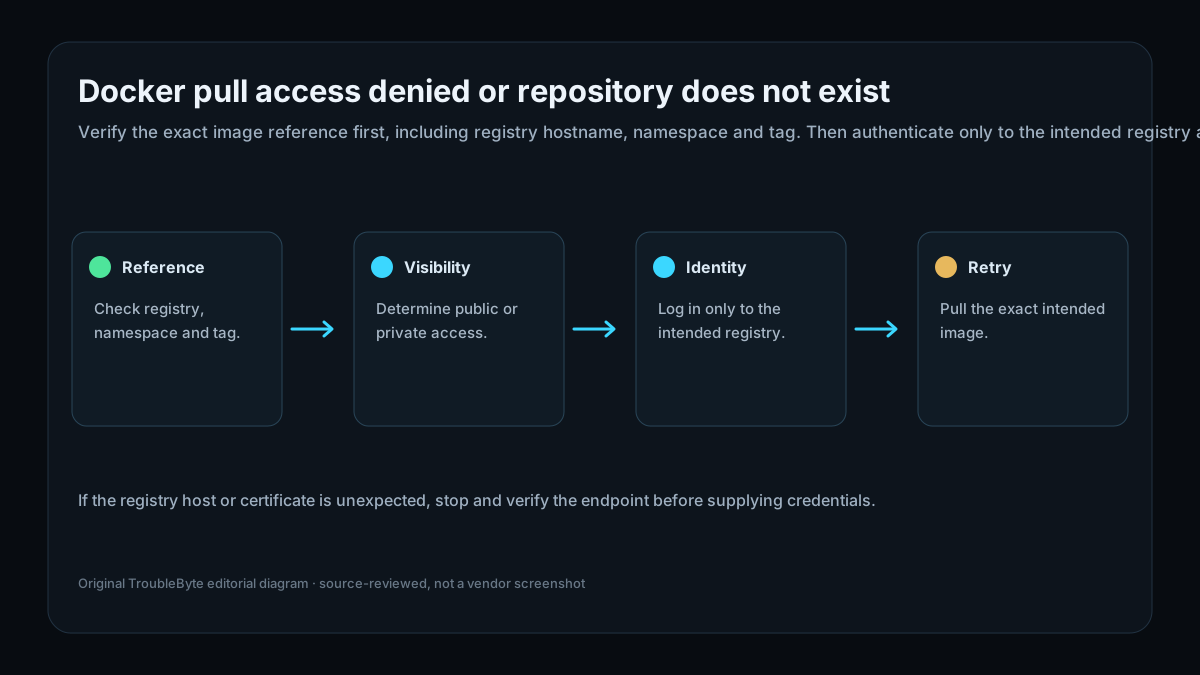
TroubleByte diagnostic path
Check registry, namespace and tag.
Determine public or private access.
Log in only to the intended registry.
Pull the exact intended image.
Original TroubleByte diagnostic map. It summarizes the cited troubleshooting order; it is not a vendor screenshot.
Use the symptom to choose the next branch
Does the evidence point to one affected target rather than a wider platform or network failure?
Keep the investigation narrow and correct the affected target or configuration only.
Stop making isolated changes and investigate the shared host, network, storage or platform layer.
Do you have the exact message, timestamp and relevant log or response evidence?
Use that evidence to follow the scoped diagnostic flow and verify one targeted change.
Capture it first; broad resets, deletes and policy changes are premature.
Original TroubleByte decision aid derived from the cited troubleshooting scope. It does not replace vendor documentation.
What this usually means
A pull failure can be caused by an incorrect image name or tag, a private repository without pull permission, credentials for the wrong registry, or a registry access policy. Docker documents that registry credentials are managed through docker login and that private repositories require granted access. A denial is therefore not evidence that Docker Engine itself is broken.
What we verified from the source material
A pull failure can be caused by an incorrect image name or tag, a private repository without pull permission, credentials for the wrong registry, or a registry access policy. Docker documents that registry credentials are managed through docker login and that private repositories require granted access. A denial is therefore not evidence that Docker Engine itself is broken.
Prerequisites and checks
Prepare first
- Do not paste registry tokens into shell history or public support posts.
- Use an account or token with only the required registry scope.
- Know whether the expected image name includes an organization namespace.
Checks that prevent the wrong fix
- Copy the complete image reference exactly as used.
- Identify whether the image is public, private or in an organization registry.
- Confirm which registry hostname Docker is contacting before logging in.
Applies to
Solutions, in order
Capture the exact symptom and scope first
- Record the exact visible message and timestamp.
- Check whether the symptom affects one target or several.
- Preserve the relevant log, response or configuration state.
- Choose the next step only after identifying the affected layer.
Why this can work: The exact error, timestamp and scope determine the next branch more safely than broad resets or deletes.
Authenticate to the intended registry and retry the exact image
- Confirm the registry hostname, namespace and tag.
- Use docker login for that registry only.
- Verify the account or token has pull access.
- Retry docker image pull with the unchanged intended reference.
Why this can work: Apply a narrow correction that follows the observed evidence, then verify the original symptom is gone.
How to know the fix actually worked
- Pull the exact intended tag successfully after correcting the reference or access.
- Confirm docker image ls shows the expected repository and tag.
Do not count a temporary disappearance of the symptom as a confirmed fix if the problem normally returns after a restart, reconnect or several minutes of use.
When not to keep changing things
- If the registry host or certificate is unexpected, stop and verify the endpoint before supplying credentials.
Escalation: If the correct image and authenticated identity still fail, request repository-level pull access from the registry owner rather than repeatedly changing Docker daemon settings.
Sources used for this record
Primary · checked Sep 25, 2026Docker — docker loginOfficial documentation used to verify the scoped troubleshooting guidance.Corroborating · checked Sep 25, 2026Docker — docker image pullOfficial documentation used to verify the scoped troubleshooting guidance.Discuss this exact problem
Share what happened on your system, ask a focused follow-up question, or add evidence that may help someone with the same symptom. Community posts are separate from TroubleByte editorial verification.
Start a discussion
Revision history
Show 1 recorded revision
2026-09-25 — Created from current official documentation with scoped decisions, explicit stop conditions and an original TroubleByte diagnostic diagram.