
Cloudflare Error 1016: Origin DNS error
Verify the configured origin hostname or CNAME target resolves correctly from the authoritative DNS side. Do not change application code or browser settings: 1016 is an origin-name resolution problem. This source-reviewed guide keeps the next step tied to the evidence you can collect safely.
Capture the exact symptom and scope first
Verify the configured origin hostname or CNAME target resolves correctly from the authoritative DNS side. Do not change application code or browser settings: 1016 is an origin-name resolution problem.
- Record the exact visible message and timestamp.
- Check whether the symptom affects one target or several.
- Preserve the relevant log, response or configuration state.
- Choose the next step only after identifying the affected layer.
Why this branch first: The exact error, timestamp and scope determine the next branch more safely than broad resets or deletes.
Choose a local-first diagnostic tool
Use a TroubleByte tool to inspect an error, DNS record or local system context before changing settings.
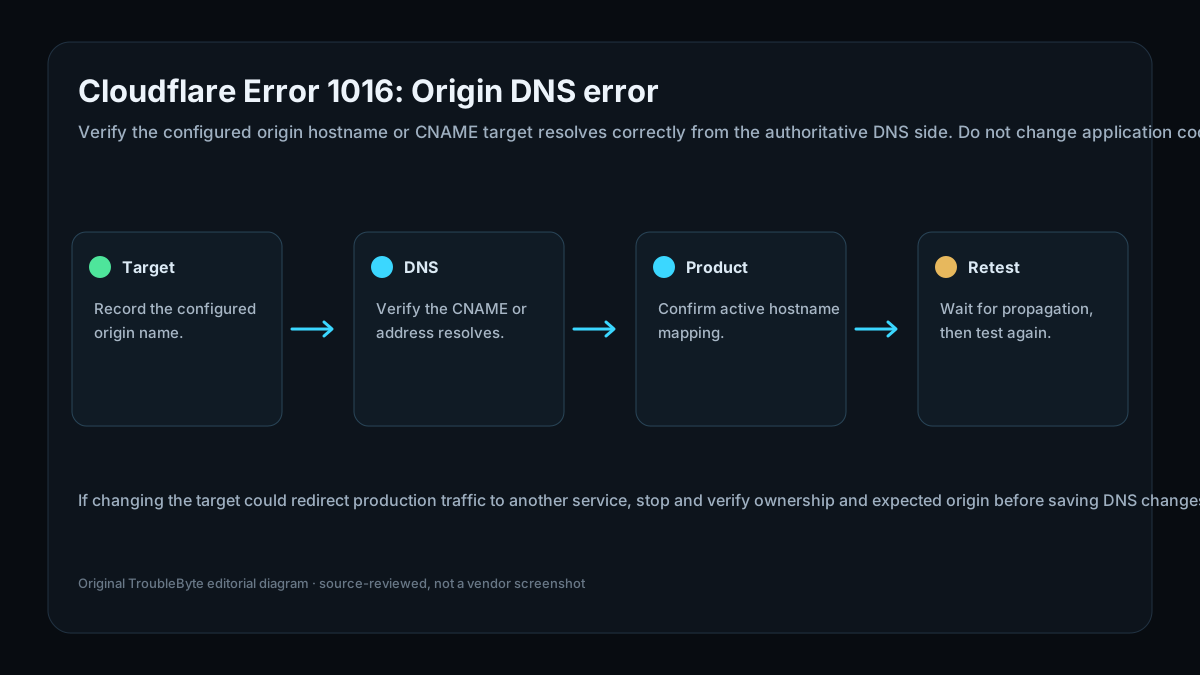
TroubleByte diagnostic path
Record the configured origin name.
Verify the CNAME or address resolves.
Confirm active hostname mapping.
Wait for propagation, then test again.
Original TroubleByte diagnostic map. It summarizes the cited troubleshooting order; it is not a vendor screenshot.
Use the symptom to choose the next branch
Does the evidence point to one affected target rather than a wider platform or network failure?
Keep the investigation narrow and correct the affected target or configuration only.
Stop making isolated changes and investigate the shared host, network, storage or platform layer.
Do you have the exact message, timestamp and relevant log or response evidence?
Use that evidence to follow the scoped diagnostic flow and verify one targeted change.
Capture it first; broad resets, deletes and policy changes are premature.
Original TroubleByte decision aid derived from the cited troubleshooting scope. It does not replace vendor documentation.
What this usually means
Cloudflare documents Error 1016 as an Origin DNS error, including cases where the CNAME target does not resolve. The relevant evidence is the configured target, its current DNS answers and the product configuration that maps the requested hostname to that target. A working visitor resolver alone does not prove the configured origin name is valid for Cloudflare.
What we verified from the source material
Cloudflare documents Error 1016 as an Origin DNS error, including cases where the CNAME target does not resolve. The relevant evidence is the configured target, its current DNS answers and the product configuration that maps the requested hostname to that target. A working visitor resolver alone does not prove the configured origin name is valid for Cloudflare.
Prerequisites and checks
Prepare first
- Do not replace DNS records blindly; preserve the current target and TTL first.
- Use authoritative DNS evidence rather than only one browser result.
- Know whether the hostname uses Cloudflare for SaaS or a standard proxied origin.
Checks that prevent the wrong fix
- Record the affected hostname and configured origin/CNAME target.
- Check whether the target resolves to the expected record.
- Confirm the target is permitted and active for the Cloudflare product in use.
Applies to
Solutions, in order
Capture the exact symptom and scope first
- Record the exact visible message and timestamp.
- Check whether the symptom affects one target or several.
- Preserve the relevant log, response or configuration state.
- Choose the next step only after identifying the affected layer.
Why this can work: The exact error, timestamp and scope determine the next branch more safely than broad resets or deletes.
Verify the configured origin target and its DNS answer
- Record the hostname and target currently configured.
- Query the target’s DNS record and compare it with configuration.
- Correct only the invalid target or product mapping.
- Retest after DNS propagation.
Why this can work: Apply a narrow correction that follows the observed evidence, then verify the original symptom is gone.
How to know the fix actually worked
- Confirm the intended origin target resolves correctly.
- Retest the same hostname through Cloudflare after propagation.
Do not count a temporary disappearance of the symptom as a confirmed fix if the problem normally returns after a restart, reconnect or several minutes of use.
When not to keep changing things
- If changing the target could redirect production traffic to another service, stop and verify ownership and expected origin before saving DNS changes.
Escalation: Escalate with the affected hostname, configured target, DNS answers, timestamp and Cloudflare product context.
Sources used for this record
Primary · checked Sep 25, 2026Cloudflare — Error 1016Official documentation used to verify the scoped troubleshooting guidance.Corroborating · checked Sep 25, 2026Cloudflare — Cloudflare error diagnostic headersOfficial documentation used to verify the scoped troubleshooting guidance.Discuss this exact problem
Share what happened on your system, ask a focused follow-up question, or add evidence that may help someone with the same symptom. Community posts are separate from TroubleByte editorial verification.
Start a discussion
Revision history
Show 1 recorded revision
2026-09-25 — Created from current official documentation with scoped decisions, explicit stop conditions and an original TroubleByte diagnostic diagram.